It is common to begin a presentation to a new client with five or ten minutes of corporate profile slides. We talk about the history of the company, regional and global offices, achievements, staff strength, products, services and future plans. This information may be important to us—but does it help the client?
Corporate profile slides are not inherently wrong. They become ineffective when they are presented automatically, before the audience understands why the information matters. A long company introduction can delay the conversation the client actually came to have.
The question the client is silently asking
While we describe our organisation, the client may be thinking:
Why does this matter to us?
Clients are rarely interested in company facts simply because the facts exist. They want to know whether we understand their situation, whether we can help and whether there is sufficient evidence to trust us.
Many clients will also have visited the company website, read a profile or spoken to someone before the meeting. Repeating everything they could already discover uses valuable attention without moving the conversation forward.
Start with the client, not the company
A stronger presentation begins with the client's situation, objective or challenge. This establishes relevance and gives the audience a reason to listen. Once the context is clear, selected company information can demonstrate why the organisation is equipped to help.
For example, instead of beginning with a map of every office, begin with the client's need to coordinate deliveries across several markets. The international network can then be introduced as evidence of the ability to support that requirement.
The order changes the meaning. Presented first, the network is simply a company fact. Presented in response to a client need, it becomes a relevant capability.
Introduce credentials when they support the conversation
Corporate information is most persuasive when it answers a concern or supports a claim. Before including a profile slide, test it with three questions:
- Is it relevant? Does this information matter to this client and this meeting?
- Is it evidence? Does it prove a capability, reduce a concern or support the proposed approach?
- Is this the right moment? Will the information be more meaningful after the client understands the context?
If a slide does not pass these tests, it may belong on the website, in a supporting document or among the backup slides rather than in the main presentation.
Turn company facts into client value
A company fact and its value to the client are not always the same thing. The presenter needs to connect them.
- A network covering many countries may demonstrate international reach.
- Years of operation may demonstrate experience in managing complex work.
- A recognised certification may demonstrate compliance with a required standard.
- Specialist staff may demonstrate access to the expertise needed for the project.
- Relevant project results may demonstrate the ability to deliver a similar outcome.
Do not expect the audience to make these connections on its own. Explain why the credential is relevant, and show only the facts needed to support that explanation.
One clear message per slide
Corporate profile slides often become crowded because they try to preserve every fact from a company brochure. History, staffing, locations, certifications, services and future plans are placed together even though they answer different questions.
A presentation slide works better when it has one clear purpose. Decide what the audience needs to understand at that moment, then select the few words, figures or visuals that support it. Detailed information can remain available elsewhere if the client asks for it.
The following historical examples were redesigned for a client presentation. Company names and logos were changed to protect sensitive information, and the dates and figures reflect the period in which the slides were created rather than current company information.
Example 1: Select the credentials that matter
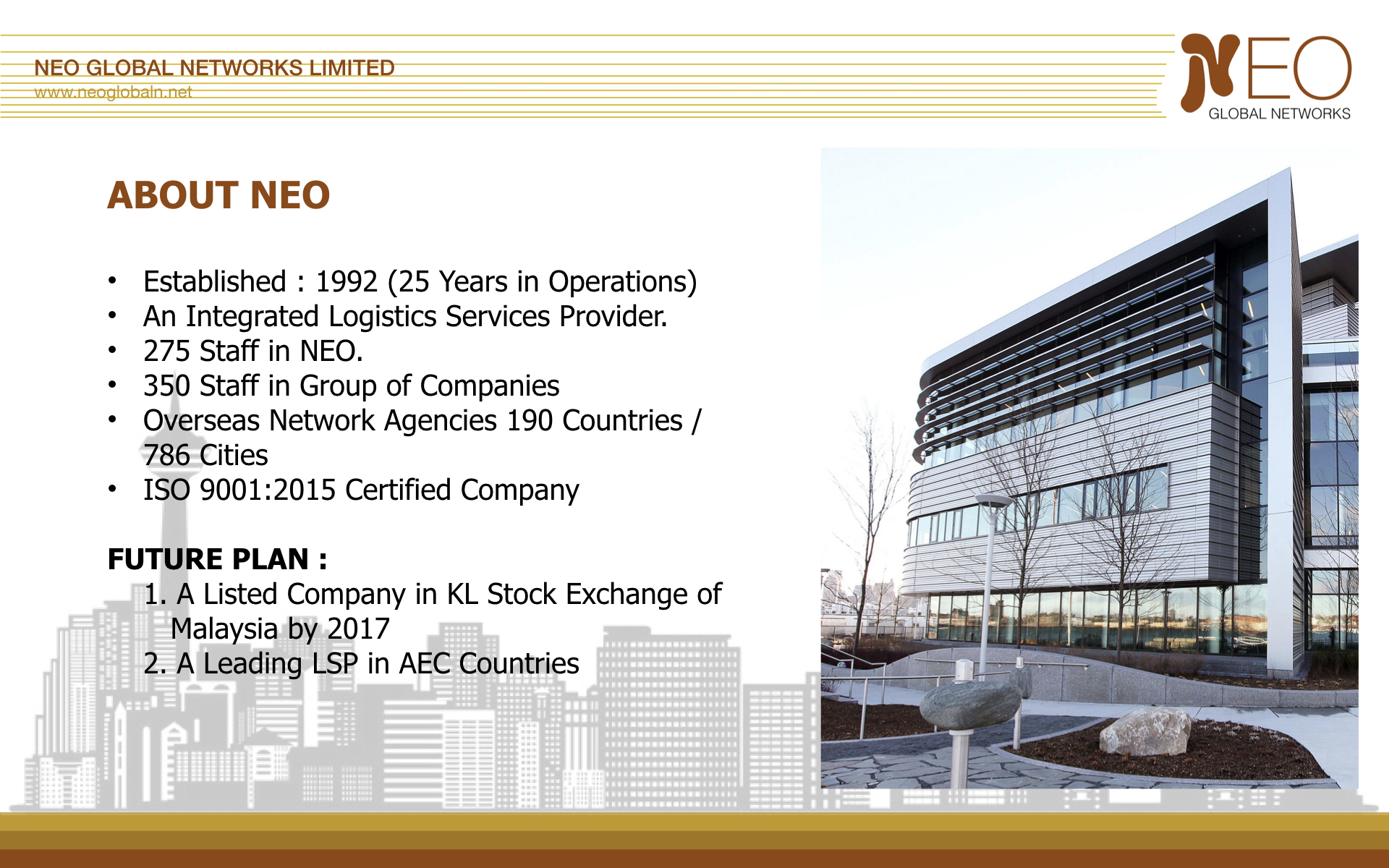
The original slide combines company history, staff figures, international coverage, certification and future plans. The audience must read a dense list and decide which facts are important.
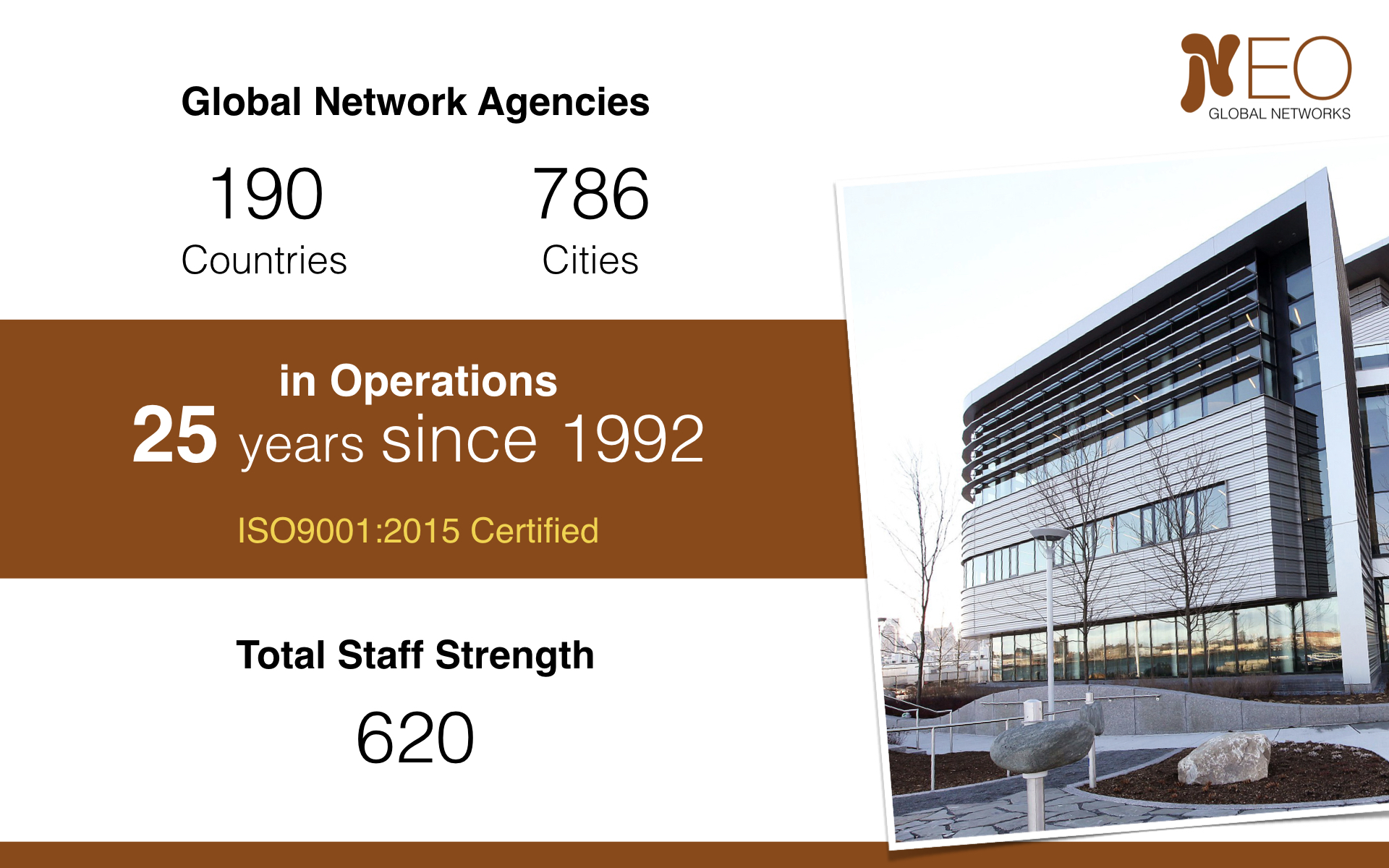
The redesigned slide selects a smaller group of credentials and gives the figures a clear visual hierarchy. International reach becomes the main message, supported by operating experience, certification and staff strength. The information is easier to scan and can be explained progressively by the presenter.
Example 2: Organise related ideas visually
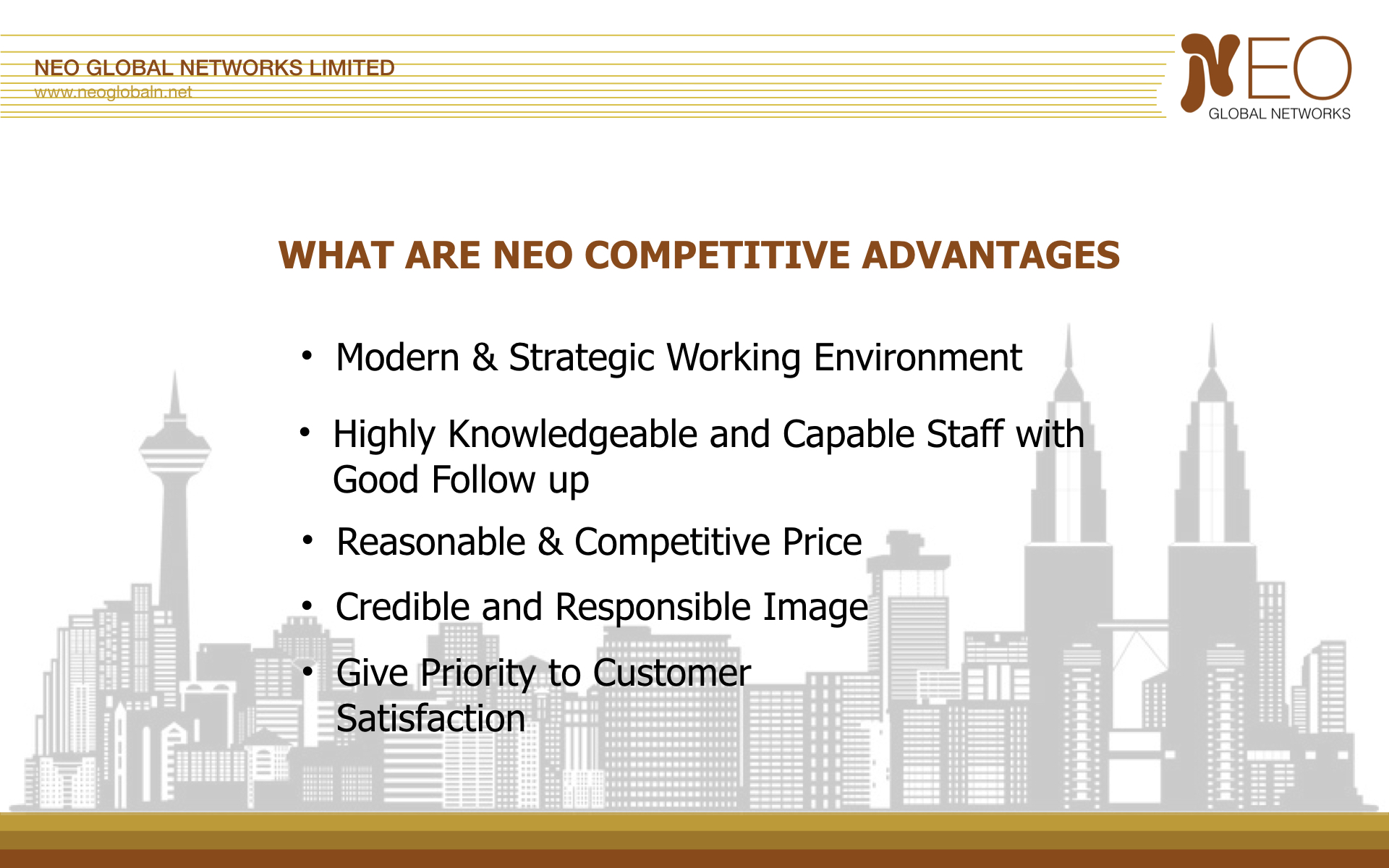
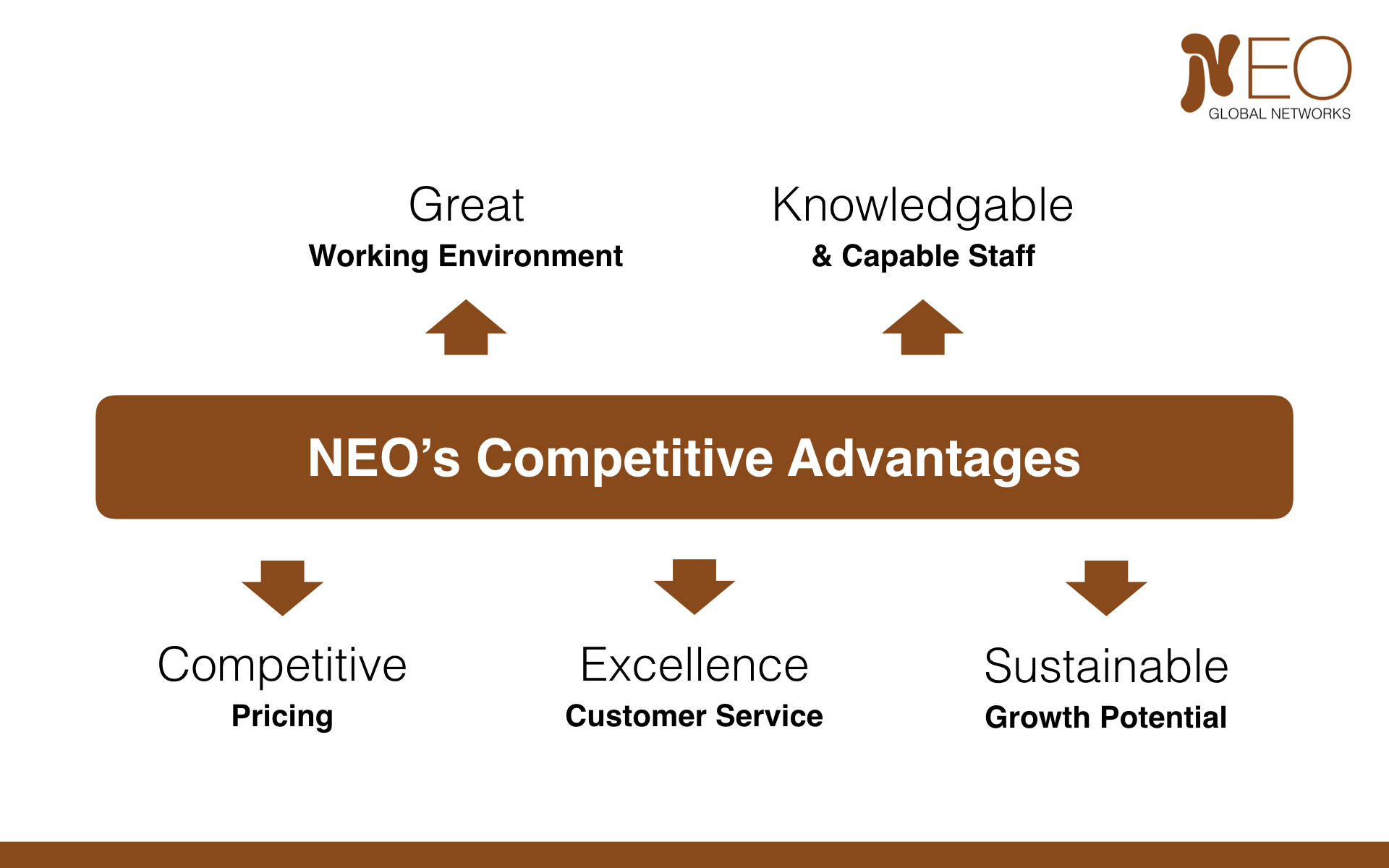
The original competitive-advantages slide presents five claims as bullet points. The audience must read the list while listening to the presenter, and the relationship between the claims is not visible.
The redesign groups the ideas around one central concept. It shows how the organisation's environment and staff support pricing, customer service and growth potential. The diagram gives the presenter a logical path through the information.
Calling out strong keywords such as “Great,” “Knowledgeable,” “Competitive,” “Excellence” and “Sustainable” makes the organisation's strengths easier for the client to see and remember. The supporting phrases give each keyword context, while their arrangement around the central message allows the overall competitive advantages to be understood at a glance.
Example 3: Present the finding, not the complete analysis
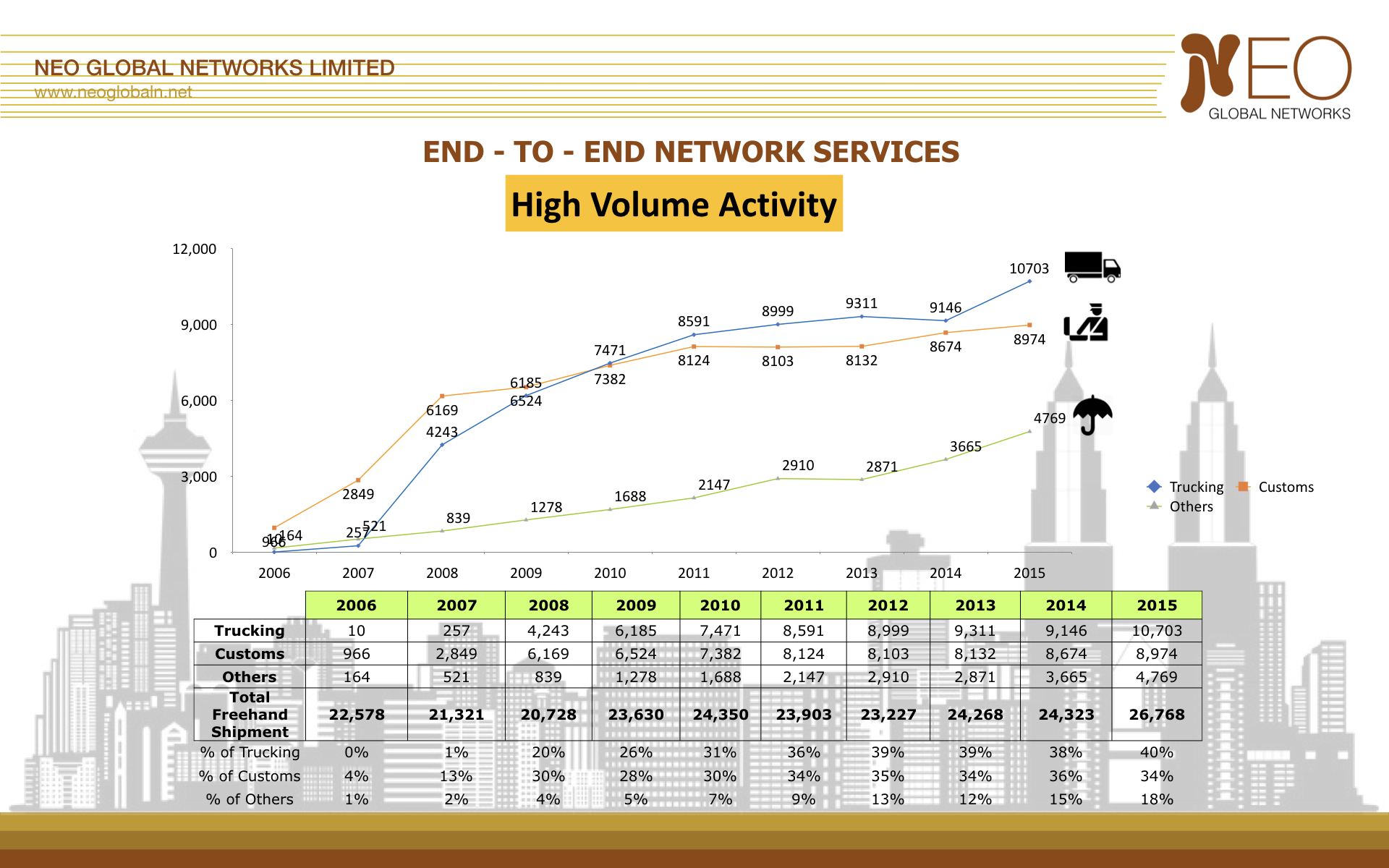
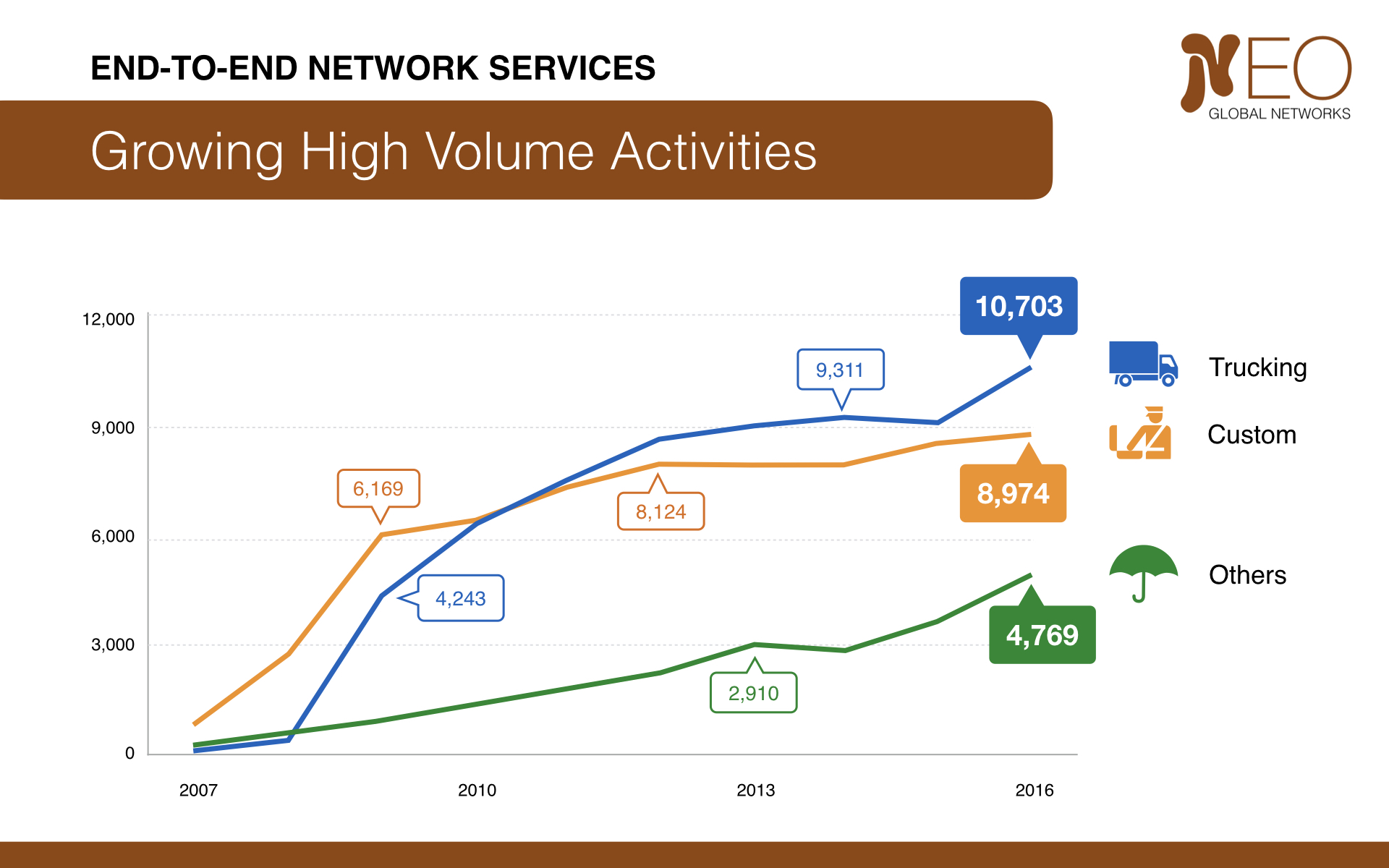
The original chart includes every annual value, three data series, a legend, decorative graphics and a detailed table. This may be useful for analysis, but it asks too much of an audience during a presentation.
The redesigned chart retains the overall trends and selected reference values. Direct labels and consistent colours make the series easier to identify, while the complete data table is removed. The title also communicates the intended finding: activity has grown substantially.
The underlying figures can remain in a report or backup slide for anyone who needs to inspect them. The main presentation slide has a different job—to make the relevant pattern understandable within a few seconds.
Build a modular corporate presentation
One fixed corporate profile deck is unlikely to be equally relevant to every client. A better approach is to maintain a collection of well-designed modules: company overview, geographic reach, specialist capabilities, certifications, case studies, project results and service areas.
For each meeting, select only the modules that support the client's priorities. Reorder them so they appear when they become relevant to the discussion. Keep the remaining material as backup rather than forcing every client through the same introduction.
A useful flow for a client presentation
A client-focused presentation might follow this sequence:
- Client situation: demonstrate an understanding of the current context or challenge.
- Desired outcome: clarify what needs to change or be achieved.
- Relevant capability: introduce the part of the organisation that can help.
- Supporting evidence: provide selected credentials, results or examples.
- Proposed approach: explain how the work could move forward.
- Next step: end with a clear action or decision.
This is not a rigid formula. It is a reminder that the company profile should serve the client conversation rather than become the conversation.
A quick checklist for corporate profile slides
Before presenting company information, ask:
- Does this client need to know this?
- What concern, question or objective does the slide address?
- Does every credential support a relevant claim?
- Have company facts been translated into value for the client?
- Can the slide communicate one clear message?
- Are broad claims supported by evidence?
- Could detailed history or data move to a backup slide?
- Is this the right point in the presentation to show it?
Corporate profile slides work when they help a client understand why the organisation is relevant, capable and credible. Keep them selective, place them where they support the conversation and allow the client's needs—not the company's history—to lead the story.


