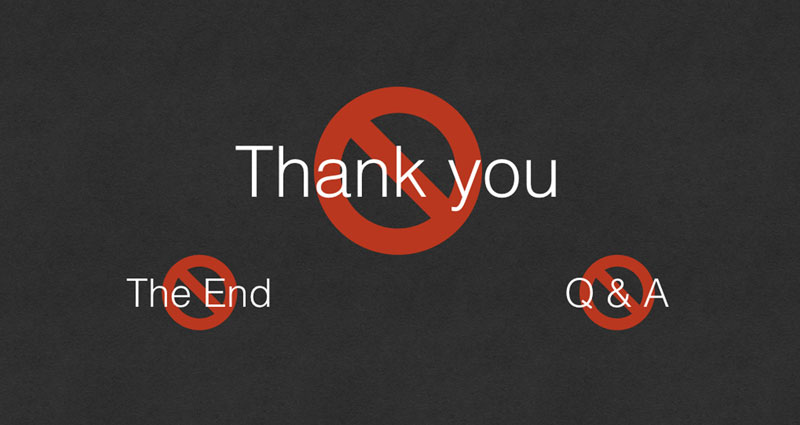
“We have come to the end of my presentation. Thank you for your time. I will take questions from the audience if there are any.” The presenter then displays a final slide containing only the words “Thank You”.
It is a familiar ending, but is it the best use of the final slide?
A presentation may be over, yet that slide could remain on screen throughout the closing remarks and the entire question-and-answer session. It may be visible for five, ten or even fifteen minutes—much longer than most slides in the presentation.
Those five, ten or even fifteen minutes are valuable opportunities to keep communicating with your audience. Instead of spending that time displaying a polite phrase you can simply say aloud, use your final slide to reinforce what you want the audience to remember, discuss or do next.
Your most expensive slide
Imagine that you bought five minutes of television advertising time. How much would that cost you? Pretty expensive, right? Would you then spend the entire five minutes displaying the words “Thank You”?
The comparison may sound exaggerated, but the principle is useful. Attention is valuable. When the final slide stays visible during Q&A, it continues communicating whether you planned for it or not. A “Thank You” slide uses that opportunity without giving the audience a useful idea to hold on to.


Leave the main message visible
Fig. 1a and Fig. 1b compare a conventional “Thank You” slide with a useful alternative. Fig. 1b keeps one clear goal visible: cut customer waiting time by 50%. While questions are being discussed, the audience continues seeing the outcome that matters most and the presenter can keep the conversation connected to the purpose of the presentation.
The final slide does not need to summarise everything. Trying to squeeze the entire presentation into one closing slide can create another overloaded screen. Choose the message, recommendation or action that matters most.
What could you show instead?
Different presentations need different endings. Fig. 2a to Fig. 2f demonstrate practical ways to use the final slide according to what the audience should remember or do.
- Reinforce the main message (Fig. 2a). Keep the central idea visible so the audience continues seeing what matters most.
- Leave your recommendation visible (Fig. 2b). This is useful when the purpose of the presentation is to gain agreement or approval.
- Show the action required (Fig. 2c). Keep the decisions or actions required from the audience visible while they are being discussed.
- Reinforce key learning (Fig. 2d). For training, leave participants with a few important principles rather than summarising everything.
- Return to the mission or purpose (Fig. 2e). This can be useful for corporate or organisational presentations where the purpose is an important takeaway.
- Show what happens next (Fig. 2f). Keep upcoming milestones or actions visible so everyone knows what follows the presentation.
Action Required in Fig. 2c and What’s Next in Fig. 2f serve different purposes. Action Required tells the audience what they need to decide or do. What’s Next shows the milestones or activities that will follow after the presentation.


Even a simple final slide can be useful
If there is no recommendation, action plan or takeaway that needs to remain visible, a company logo such as Fig. 3a can provide a simple branded backdrop during Q&A. A contact or QR-code slide such as Fig. 3b can instead give the audience an immediate way to continue the conversation or access further information.


“QUESTIONS?” has much the same problem
A slide containing only “QUESTIONS?” tells the audience what is happening in the room, but they already know that the presenter has invited questions. Like “Thank You”, it occupies valuable screen time without reinforcing the presentation.
You can invite questions verbally while leaving a useful message on screen. If the discussion depends on a recommendation, plan or set of findings, keeping that information visible can even help the audience ask better questions.
“The End” is unnecessary for the same reason. Your closing words, body language and transition into Q&A already make it clear that the formal presentation has ended. The slide can perform a more valuable job.
Match the ending to the situation
A proposal might end with the recommended decision. A project update might show immediate actions and responsibilities. A conference talk could return to its central message, while a training session might reinforce key learning.
In some situations, one slide does not need to do everything. You might keep the recommendation in Fig. 2b or another useful message visible during Q&A, then advance to a separate “Continue the conversation” slide such as Fig. 3b after the discussion. This preserves the useful Q&A backdrop while still making contact details or a QR code easy to capture.
Make the final slide continue working
Before completing your next presentation, ask:
“If my audience looks at this slide for the next ten minutes, what do I want them to remember?”
The answer should guide what appears on the screen. It may be one message, one recommendation, one action plan or one clear next step. Whatever you choose, make it useful.
Your final slide shouldn't merely tell the audience that the presentation is over. It should help your presentation continue working after you have stopped presenting.


